How to Document the Purpose of Each Camera Location in a Building
A camera should not be installed simply because a corner is available, a board member feels uneasy or another building has one. Every camera location needs a clear, recorded purpose tied to a real security or operational concern. That record helps owners and managers check whether surveillance is proportionate, explain decisions to residents and staff, and review whether a camera is still needed.
The practical starting point is a question I ask whenever a camera is proposed: What question does it answer? If nobody can give a specific answer, the location probably needs more thought before equipment is installed.
This guide sets out how to write a useful camera purpose statement, apply risk based placement, control the field of view, establish ownership of decisions and set retention and routine deletion rules. It is for building operations teams, owners’ and residents’ associations, and others responsible for shared spaces. It is not a substitute for advice on applicable privacy and data protection requirements.
Why document each camera’s purpose?
A building-wide statement such as “CCTV is used for security” is too broad to explain why a particular lens faces a lift lobby, entrance or car park ramp. Documenting the purpose at camera level makes the reasoning testable. It also provides a reference point when someone asks to change a view, access footage or add a new camera.
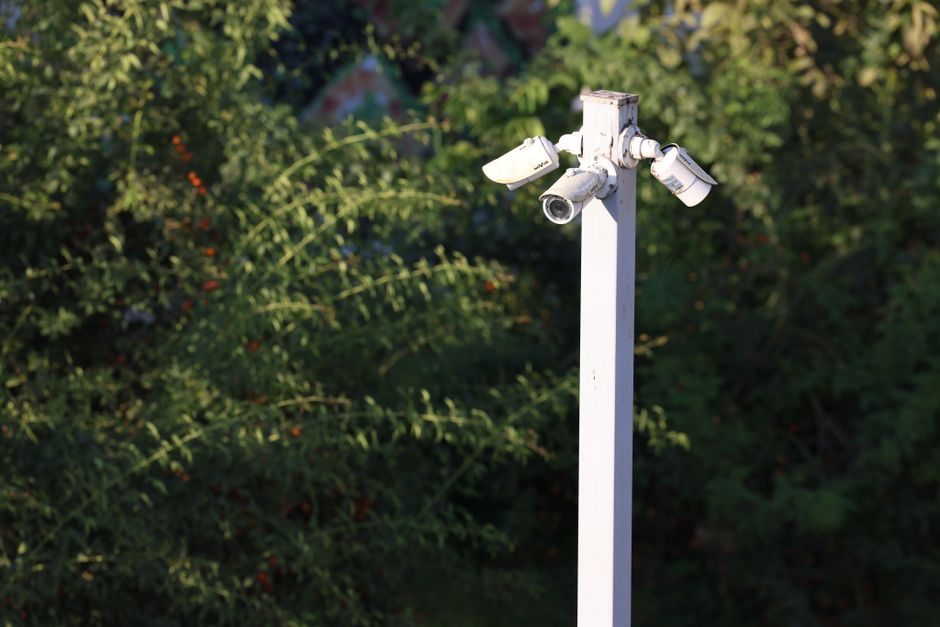
Good records help the building:
- Show the concern or incident pattern that led to a camera proposal.
- Choose a less intrusive location or narrower view where that will address the concern.
- Set access, retention and review rules that match the purpose.
- Spot cameras that have drifted into broad or unnecessary coverage.
- Explain the decision consistently to residents, staff, contractors and relevant advisers.
Think of the purpose statement as an operational control, not paperwork to complete once and forget. If the risk changes, the view changes or the camera stops serving its stated purpose, the record should be reviewed.
Start with the risk, not the camera
Here's what kills me: before discussing hardware, describe the issue the building is trying to manage. This is the basis of risk based placement: placing cameras where evidence indicates they may help address a defined concern, rather than installing them “just in case”.
Useful evidence could include incident reports, repeated damage, access-control records, reports of theft or a documented safety concern. Separate confirmed events from assumptions. “Three reported tailgating incidents at the north entrance during the last six months” is more useful than “the entrance feels vulnerable”. You do not need to exaggerate a risk to justify reviewing it.
Ask whether a camera is necessary for the particular concern, or whether a less intrusive measure could work. Better lighting, door repairs, signage, access-control changes, staff procedures or changes to the layout may be more appropriate, or may work alongside a narrowly positioned camera. Record the options considered and why the chosen approach is suitable.
Use a repeatable question
For each proposed location, write one plain-language question the camera is intended to help answer. For example:
- Entrance: Did an unauthorised person enter through this controlled door at the time of a reported incident?
- Mailroom: Was a parcel removed from the shared shelving area, and when?
- Garage ramp: Which vehicle entered or left the garage during a reported collision?
- Lift lobby: Did a person damage the lift doors during the reported period?
A purpose should be specific enough to guide the camera angle and later footage review. “Improve safety” does not identify what the camera needs to see. Nor should the purpose promise that CCTV will prevent incidents or identify every person involved.. Pretty simple.
Write a camera purpose statement
A useful camera purpose statement connects the concern to the view and the way footage will be handled. Keep it short enough for an operations team to understand, but detailed enough to support a review.

Use a consistent template for every location. Include:
- Camera ID and location: Give each camera a unique reference and a precise description, such as “C-04, west entrance vestibule”.
- Risk or concern: Summarise the evidence or operational issue behind the proposal.
- Question it answers: State what a reviewer may need to establish from footage.
- View and limits: Describe what is in frame and what is deliberately excluded or masked.
- Alternatives considered: Note relevant non-camera measures and why they were not sufficient on their own.
- Footage handling: Identify who may access footage, the approved reasons for access and the retention period.
- Approval and review: Record who approved the decision, when it was approved and when it will be reconsidered.
For example: “C-04 covers the controlled west entrance to help establish whether a person entered during a reported unauthorised-access incident. The view excludes the public pavement and neighbouring windows. Access is restricted to authorised reviewers for documented incidents. Footage is routinely deleted after the approved retention period unless a specific clip is placed on a documented hold. Review this location annually and after a material change to the entrance elevator camera disclosure notice or incident pattern.”
Control placement and field of view
Purpose and placement must match. A camera intended to record activity at an entrance should not automatically capture a broad section of pavement, a neighbouring property, private balconies or areas where people reasonably expect greater privacy. Check the live image in real conditions, not only the installer’s drawing.
Walk the space and consider the camera’s height, direction, lens, lighting and likely obstructions. Test the view during busy and quiet periods, and check what appears when doors open or vehicles turn. Use privacy masking or other technical controls where available and appropriate. Document the limits and confirm them after installation, maintenance or repositioning.
Keep a small checklist for details that are easy to overlook. Redaction is not only about faces and number plates. Depending on the view and incident, consider whether footage also reveals:
- Door-entry keypads, access codes or security procedures.
- Apartment interiors through open doors, windows or reflections.
- Children, visitors or bystanders who are not relevant to the review.
- Names, delivery labels, documents or screens visible in shared areas.
- Access routes or building features that could create a security concern if disclosed.
- Audio, which should not be assumed necessary merely because a device can record it.
Document what a camera can see, not just where it is mounted. A location name alone does not tell the next reviewer whether the image includes a public footpath or a resident’s front door.
Agree who owns and governs CCTV decisions
Camera decisions can involve an owners’ association or board, property manager, onsite team, security contractor and technology provider. That does not mean responsibility can be left vague. Record who proposes a camera, who approves its purpose and placement, who manages access, and who checks that the approved rules are followed.
Governance should cover the full lifecycle: proposal, approval, installation, routine operation, footage requests, changes to the view and decommissioning. The board or responsible organisation should know who has authority to approve a new purpose or expand a field of view. An installer may advise on technical feasibility, but technical convenience is not, by itself, a reason to collect more footage.
Set out an access process. It should specify how a request is made, who assesses it, what is recorded in the disclosure log and how any export is protected. Avoid casual viewing out of curiosity. Each access should have an authorised reason and a record showing who accessed what, when and why.
Always ask: where do exported clips end up, and who can open them? Identify the approved storage location, authorised recipients, any transfer method and the deletion or return deadline. Raw clips should not be emailed around or placed in an open shared folder without access controls and a clear deletion date. If a clip must be preserved for a particular matter, record the reason, custodian and review date.
Set retention periods and routine deletion
Retention should follow the stated purpose and the building’s approved policy, not the maximum capacity of the recording system. Decide how long footage is routinely kept, why that period is suitable for the building’s incident-reporting and review process, and how automatic deletion works. There is no single retention period that is right for every building; set and document one that is appropriate to the circumstances and applicable requirements.
Make routine deletion a normal part of the system, not a task that depends on someone remembering. Confirm that the recording platform overwrites or deletes footage as intended, including relevant exports and backups where the building controls them. Assign someone to check the setting after system changes and at scheduled intervals.
Sometimes a specific clip needs to be retained beyond the routine period. Use a documented hold rather than quietly extending retention for everything. Record the clip reference, reason for preservation, person responsible, authorised access, review date and eventual deletion or other permitted disposition. When the reason ends, the hold should be closed and the clip dealt with under the approved process.
Use a camera register and review it
A camera register brings purpose, placement and governance together. It gives onsite staff and decision-makers a current view of the system and supports consistent responses to questions or incidents.
Register field What to record Camera ID and location Unique reference, building area and mounting point. Purpose and risk Concern, supporting evidence and the question the camera is intended to answer. Field of view Areas captured, excluded areas, masks and any relevant audio settings. Approval and ownership Approving body or role, responsible manager and approval date. Access and retention Authorised roles, access process, routine deletion period and hold procedure. Review history Inspection dates, changes, incidents prompting review and next review date.
Review the register on a set schedule and whenever there is a material change: a camera is moved, a renovation alters the view, a new risk is identified or the original concern no longer applies. During the review, confirm that the camera still answers its stated question and that the footage is not broader or retained longer than needed.
Common mistakes to avoid
- Installing “just in case”: Start with a documented concern and consider alternatives before approving a camera.
- Using vague purposes: Replace “general security” with a specific question linked to a location and risk.
- Ignoring the actual view: Verify the image on site, including areas captured at the edge of frame and during different conditions.
- Leaving ownership unclear: Name the people or roles responsible for approval, access, review and deletion.
- Sharing raw clips casually: Use an approved, access-controlled process and log disclosures.
- Keeping everything indefinitely: Set routine deletion and use time-limited, documented holds for specific clips.
On prices: No prices are listed here because this is guidance on documenting camera purpose and governance, not a product comparison or purchasing quote. If a building is procuring or upgrading CCTV, request an itemised proposal that separates equipment, installation, storage, maintenance and ongoing service costs. A price does not establish that a camera is necessary or appropriately placed.
A practical approval sequence
- Describe the concern and the evidence behind it.
- Ask what question the proposed camera would answer.
- Compare camera coverage with practical, less intrusive alternatives.
- Define and test the field of view, including exclusions and masking.
- Approve the purpose, access controls, retention period and deletion process.
- Add the camera to the register and schedule a review.
- After installation, verify that the live image matches the approved purpose.
Make every camera accountable
A clear camera purpose statement turns a camera from an unexplained fixture into a governed building control. It links a real concern to a defined view, limits access and retention, and gives the building a way to challenge whether surveillance remains necessary. If the team cannot say what question does it answer, pause the proposal. The answer should be specific, the field of view should be deliberate, and the footage should have a controlled life from recording through to deletion.
If this guide is useful to your board or onsite team, share it with them: Facebook share | X (Twitter) share.
