What Facial Expressions Work Best for Tiny PFPs?
Profile pictures (PFPs) are the digital face of your online presence, especially on platforms like Discord where community engagement and identity flourish. However, designing an effective PFP is more nuanced than simply uploading a photo or illustration. With most avatars displaying at tiny sizes—often 64x64 pixels or smaller on mobile devices—ensuring your PFP communicates well is a unique artistic and functional challenge.
As a 10-year gaming community moderator and freelance illustrator experienced in standardizing avatars for esports teams and Discord servers, I’ve learned what makes a PFP truly shine at small scales. In this post, I’ll break down the key elements you should consider when designing facial expressions for tiny PFPs:
- Silhouette recognition
- Mobile-first readability
- Contrast and separation
- Face and expression clarity
Using practical tips and examples, I’ll also reference how Discord renders avatars and the common pitfalls to avoid when it comes to expression and detail. By the end, you’ll know how to create avatars with big expression, clear eyebrows, and readable mouth shapes that hold up at any scale—whether in dark mode or light.
Why Are Facial Expressions So Important for Tiny PFPs?
Facial expressions are the heart of character in profile pictures. A well-expressed face can convey personality, mood, and emotions instantly, which is crucial in text-heavy online conversations where your picture might be the only non-verbal cue available.
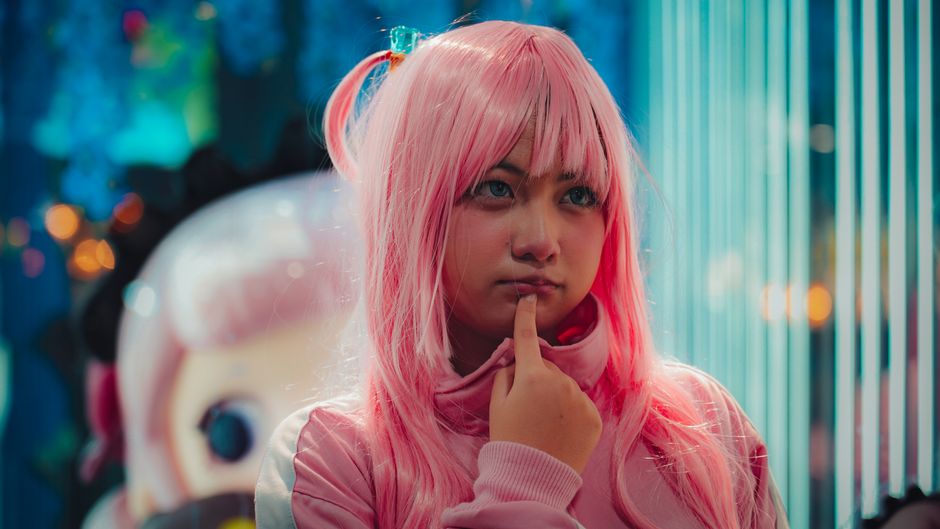
But tiny PFPs present a problem: the visible detail area is minuscule, and not all expression cues survive the scaling. This leads to avatars that feel bland, unreadable, or worse, miscommunicative.
Discord avatar icons, for example, display primarily in circular crops at various sizes across desktop and mobile (from about 128x128 pixels in the server member list down to 32x32 pixels in chat bubbles on mobile). Each size demands that the essential aspects of your expression remain recognizable.
The Key Principles Behind Tiny PFP Readability
1. Silhouette Recognition
The first step in designing a tiny PFP is focusing on silhouette recognition. At very small sizes, your avatar basically boils down to a simplified outline. If the shape itself is not instantly recognizable and distinct, your expression won’t even get a chance to be noticed.
- Use strong, clear shapes: Avoid extreme complexity. Simplify clothing, hair, and accessories so they don’t merge into a visual noise.
- Test your silhouette early: Crop your avatar in a circle preview and view it at 32x32 pixels to ensure the outline is distinctive.
For example, a crest of spiky hair, antennae, or a cat ear silhouette can help your character stand out immediately—even before the facial expression comes into view.
2. Mobile-First Readability
Most people access Discord on mobile devices, which means your avatar will often be viewed at tiny sizes and on varying screen resolutions. Design with this context in mind:
- Avoid tiny text: Text or logos in PFPs tend to blur into noise when scaled down.
- Large, simple features: Eyes, eyebrows, and mouth should be bold and clearly delineated.
- Use high contrast colors: Colors that separate foreground elements, like the face and expression, from the background dramatically improve readability.
As a personal workflow tip, I always test avatars on both light and dark mode backgrounds to ensure expression clarity regardless of user settings.
3. Contrast and Separation
Contrast is king for tiny PFP clarity. To make facial expressions read purepfp.com clearly:
- Separate facial features from hair and background with distinct colors or outlines.
- Use a subtle border or shadow around the head or key features to prevent them from merging into Discord’s default black or white chat backgrounds.
- Keep backgrounds simple or solid—avoid busy textures that can create distracting noise.
For example, bright eyes and eyebrows on a mid-tone face with a simple single-color background will pop at 32x32 pixels. Avoid gradients or intricate patterns that blend when sized down.
4. Face and Expression Clarity
Now, let's zoom in on the face itself. The goal here is making your expression “readable” quickly and at the smallest sizes possible.
- Big Expression: Go bold. Exaggeration of key elements is necessary so emotion registers clearly.
- Clear eyebrows: Eyebrows shape mood dramatically—angling for anger, arching for surprise, flattening for calmness. Make sure they are visible and distinct.
- Readable mouth shape: Smiles, frowns, grimaces—your mouth shape anchors most expressions. Avoid mere lines or dots and instead use shapes with clear form such as a wide “U” or definite curve.
- Avoid overcrowding: Faces cropped too small lose expression if features are cramped. Leave room to breathe so eyebrows and mouth don’t merge.
Remember: less is often more—but well-chosen detail is what makes a face memorable.
Examples of Effective Facial Expressions for Tiny PFPs
Expression Why It Works at Small Sizes Tips for Implementation Big, Open Smile Large mouth curve and visible teeth make happiness readable. Use a wide U-shape mouth, add white teeth highlights, and raise cheeks subtly. Keep eyebrows raised. Determined / Focused Angled brows and a tight mouth convey intensity. Draw bold, slanted eyebrows meeting the central face line; keep mouth a straight line or subtle frown. Surprised / Shocked Raised eyebrows and an O-shaped mouth create instant impact. Elevate eyebrows high and separate them well; use a bold circle or oval for the open mouth. Neutral / Calm Simplicity is key, but eyebrow shape still influences perception. Smooth, relaxed eyebrows and a gentle smile or closed mouth shape work best.
Common Mistakes to Avoid
- Tiny Text Elements: Small initials or words become unreadable noise at 32–64 px sizes.
- Overly busy backgrounds: Complex visuals distract and hinder face clarity.
- Too much detail: Crowded facial features merge into an indistinct blob.
- Small faces cropped too tightly: Makes expressions unreadable and frustrating.
Workflow Tips for Testing Your Tiny PFPs
Here are practical steps I follow to make sure avatars work well at tiny sizes on platforms like Discord:
- Create the avatar at a high resolution (at least 512x512). This allows you to refine details.
- Crop using a circular mask, since Discord rounds avatar corners.
- Scale down your design incrementally to 128x128, 64x64, and finally 32x32 pixels.
- View your avatar in both dark and light mode backgrounds.
- Ask yourself: Can I recognize the expression with minimal effort? Are the eyebrows distinct? Is the mouth readable?
- Tweak colors, shapes, and contrast as needed, then repeat the test.
Final Thoughts: Expressive PFPs That Pop
Whether you’re representing yourself in a Discord server, branding a small esports team, or moderating a gaming community, choosing the right facial expression for your tiny PFP is crucial. It’s about more than just looking good—it’s about clear communication.
Keep your designs simple but expressive. Emphasize big expression through clear eyebrows and a readable mouth shape. Always check your silhouettes, test on mobile, and avoid noisy backgrounds. When done well, your avatar becomes memorable and friendly—even at the smallest scale.
Feel free to share your PFP experiments or reach out for feedback. After all, the best avatar is one that speaks volumes without saying a word.
